Printing service

Your photos, printed properly

Send me your photos and I'll print them on the same Canon PRO-1000 I use for every MBailey Photos print: twelve pigment inks and a clear gloss coat. Sizes from 6x4 to A2.

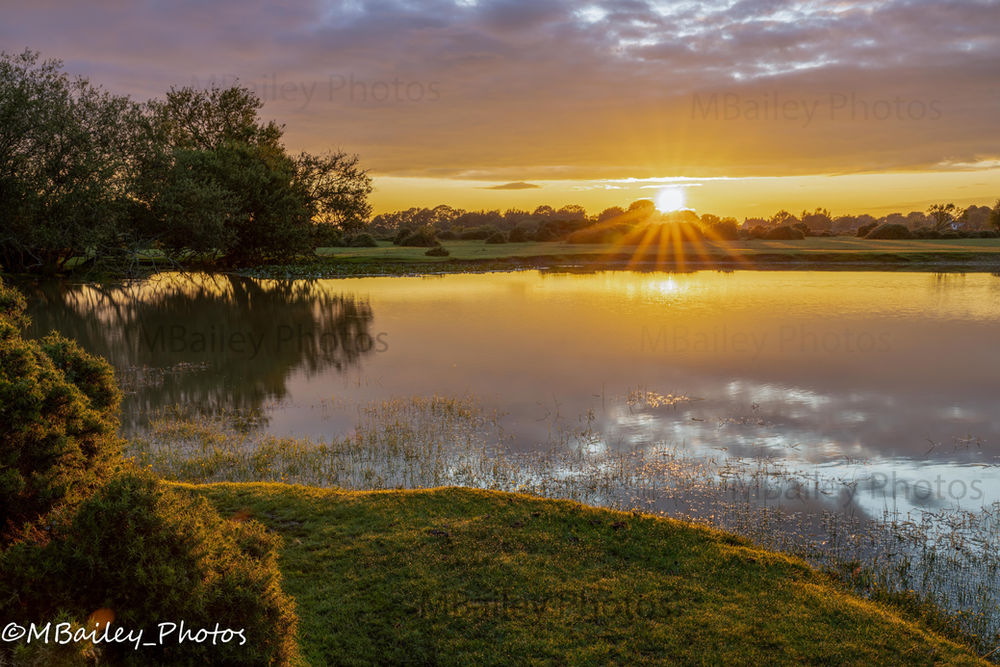
Sun starburst over Janesmoor Pond in the New Forest
Janesmoor Pond, New Forest. Printed on the PRO-1000.
  • 12pigment inks
  • 4 plsmallest ink droplet
  • 2,400dpi resolution
  • A2largest print, 594 × 420 mm
Sizes & prices

Choose your size

Each price is for one print of one photo. You choose the size for each photo when you upload it.

6x4152 × 102 mmSee portal
12x12305 × 305 mmSee portal
A4297 × 210 mmSee portal
A3420 × 297 mmSee portal
A2594 × 420 mmSee portal

Delivery or collection is chosen at checkout. For framing, mounting or a custom size, get in touch.

The printer

Canon imagePROGRAF PRO-1000

An A2 professional photo printer, built for exhibition and fine art work. It's the reason the prints in my shop look the way they do, and your photos go through the same machine.

Its ink droplets are tiny and tightly placed, so skies stay smooth and fine detail stays sharp, even up close on an A2 print.

Full specifications
  • Inks12 LUCIA PRO pigment inks, incl. Chroma Optimiser
  • Print head1,536 nozzles per ink
  • Smallest droplet4 picolitres
  • ResolutionUp to 2,400 × 1,200 dpi
  • Largest printA2 · 594 × 420 mm
  • PapersHeavyweight gloss, lustre and fine art

Specifications from Canon Europe.

Illustration of an A2 photo printer with a landscape print coming out of the front
Illustration. A photo of the studio printer is coming soon.
The ink

Twelve inks, pigment not dye

Most home printers use dye, which soaks into the paper. Pigment sits on the surface, so colours stay rich and prints last far longer.

  • Photo Black
  • Matte Black
  • Grey
  • Photo Grey
  • Cyan
  • Photo Cyan
  • Magenta
  • Photo Magenta
  • Yellow
  • Red
  • Blue
  • Chroma Optimiser (clear)
Dye ink compared with pigment inkDye ink soaks down into the paper fibres. Pigment particles, each coated in resin, stay packed on the surface of the paper. DyePigment pigment ina resin coat soaks instays on top
  • Richer colour, deeper shadowsThe pigment isn't lost into the paper, so colours stay strong and dark areas keep their detail.
  • Prints that lastPigment resists fading far better than dye. It's what galleries and archives use.
  • True black and whiteFour black and grey inks give smooth, neutral monochrome with no colour casts.
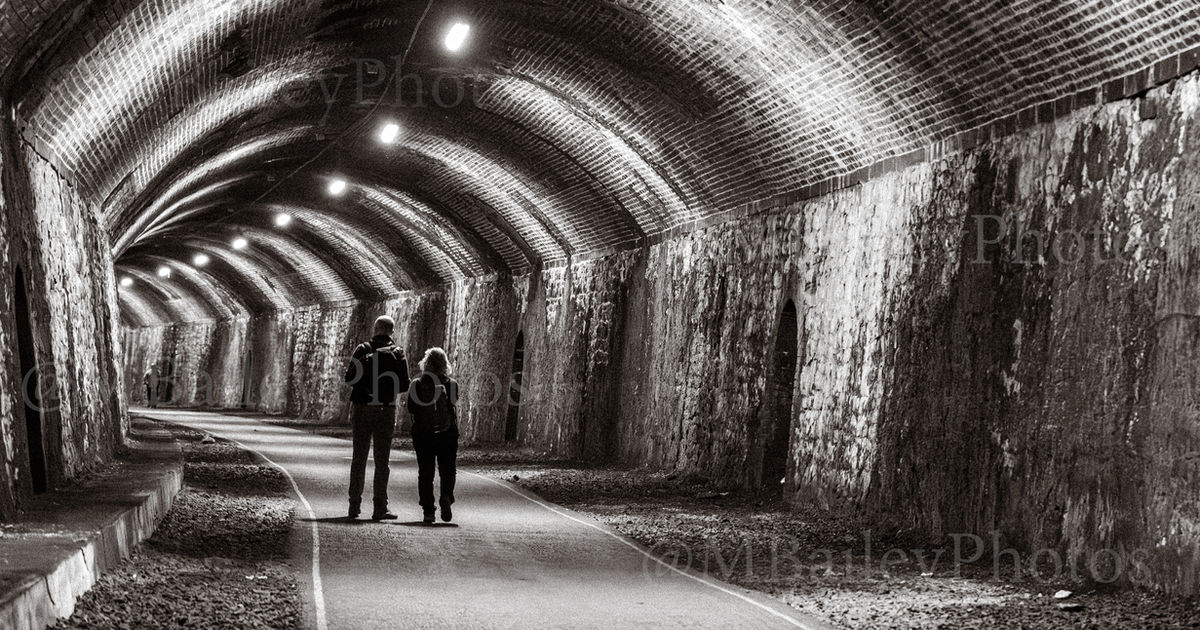
Black and white photograph of shadows inside a tunnel
Four greys and blacks keep black and white prints smooth and neutral.
The clear coat

Chroma Optimiser

The twelfth ink has no colour. It's a clear ink the printer lays over gloss and lustre prints in the same pass, like a thin, even glaze.

It levels the tiny bumps between ink droplets, so light reflects evenly across the whole print.

  • Even glossLight and dark areas share the same sheen from every angle.
  • Deeper blacksLess stray light from dark areas, so shadows look truly black.
  • No bronzingNo metallic shimmer in the darks when the print is tilted.
How Chroma Optimiser changes reflected lightWithout Chroma Optimiser the ink surface is bumpy and light scatters in many directions. With the clear coat the surface is level and light reflects evenly in one direction. Without light scatters · patchy gloss With clear coat
How it works

Order in four steps

Sign in

Use your MBailey Photos client portal. New here? Create an account in a minute.

Upload

Add your photos on the Order prints page. JPEG, TIFF or PNG, up to 100 MB each.

Choose sizes

Pick a size and quantity for each photo. The portal warns you if a file is too small.

Order & pay

Choose delivery or collection. Your invoice appears straight away in your portal.

Preparing your files

Getting the best print

Send the largest, original file you have. Photos straight off a phone or camera are best; screenshots and social media images are too small above 6x4.

12x12 is square. If your photo isn't, say in the order note whether to crop it or print it whole with a white border.

  • 6x41,800 × 1,200 px
  • 12x123,600 × 3,600 px
  • A43,508 × 2,480 px
  • A34,961 × 3,508 px
  • A27,016 × 4,961 px

Ideal size at 300 ppi; about half this still prints well at arm's length. sRGB or Adobe RGB both work.

Questions

Printing FAQs

Is the Chroma Optimiser a laminate or spray?
No. It's a clear ink in its own cartridge, applied by the printer during the same print pass as the colour inks. Nothing is added afterwards.
How long will the prints last?
Pigment inks are much more resistant to fading than the dye inks in most home printers. As with any photograph, keep prints out of direct sunlight and away from damp to get the longest life.
Which paper do you print on?
I choose the paper to suit the photo. If you'd like a particular finish, such as gloss, lustre or matte fine art, say so in the order note.
Can you frame or mount my prints?
Yes. Mention it in the order note or get in touch and I'll quote for a mount or frame.
What if my file isn't good enough?
I check every file before printing. If one is too small or looks like it will print poorly, I'll contact you before printing it.